

Your shopping cart is empty!
 Call us: +1-(437)-290-7537
The Complete IT Hardware Buying Guide for Businesses
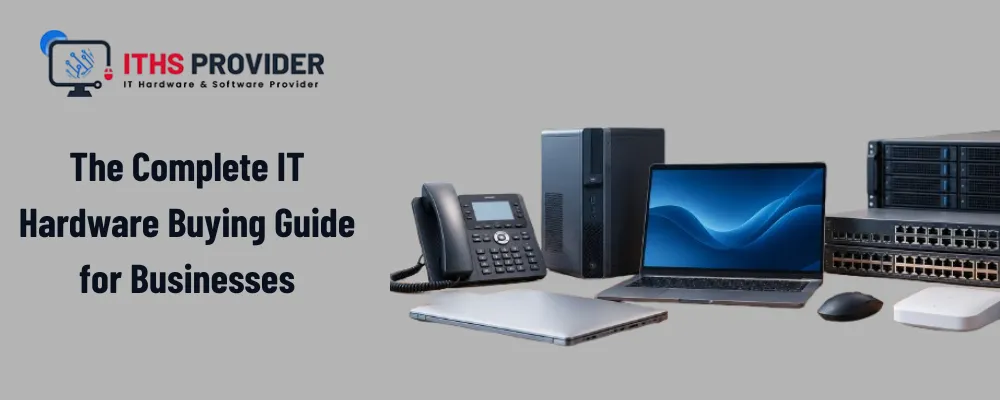
Every business runs on some combination of computers, servers, storage, and networking gear, whether anyone in the office actually thinks about it that way or not. At ITHS Provider, we talk to business owners every week who are wrestling with the same basic question: what do we actually need right now, and what can realistically wait.
Buying IT hardware for business use is rarely as simple as picking whatever looks newest or cheapest on a spec sheet.
The right choice depends on how people you support what your team does every day and how much downtime you can afford if something breaks.
This guide walks through the categories that matter most what to prioritize and where businesses commonly waste money.
Table of Contents
What Counts as IT Hardware for a Business
IT hardware is the equipment that keeps a business running.
IT hardware includes desktops and laptops servers, storage devices networking gear such, as routers and switches, firewalls, phones and power protection that keeps everything online during an outage.
Software and cloud subscriptions also matter,. They sit on top of IT hardware not in place of IT hardware.
Small and mid‑sized businesses underestimate how much of this actually needs planning.
A single new hire might need a laptop, a phone, network access and a share of server or storage capacity and each of those is an IT hardware buying decision.
Why Hardware Decisions Matter More Going Into 2026
A few things are shifting how businesses need to think about technology hardware this year.
AI Workloads and Rising Component Costs
AI-assisted tools are pushing more work onto local machines and edge devices, which means workstations and servers increasingly need stronger processors and more memory than they did just a couple of years ago. At the same time, component costs and memory prices have been climbing, so timing and planning matter more than they used to. Wait too long to replace aging equipment, and you can end up paying more for less once shortages tighten further.
Remote Work and Security Expectations
Remote and hybrid work isn't a temporary arrangement anymore for most companies, it's the default. That changes what laptops, VPN capacity, and remote access hardware actually need to support. And as businesses handle more sensitive data, hardware with built-in security features, encrypted storage, TPM chips, secure boot, matters more than it did back when perimeter security alone felt like enough.
Core Hardware Categories Every Business Needs
| Category | What It Covers | When to Prioritize It |
|---|---|---|
| Computers and Laptops | Desktops, laptops, workstations for staff | Every employee, especially remote or hybrid roles |
| Servers and Storage | On-premises servers, NAS, backup drives | Businesses running local applications or storing sensitive data |
| Networking | Routers, switches, access points | Any office with more than a handful of connected devices |
| Security Hardware | Firewalls, secure endpoints | Businesses handling customer data or facing compliance requirements |
| Communication Tools | IP phones, conferencing gear | Teams relying on calls, VoIP, or hybrid meetings |
| Power Protection | UPS units, battery backups | Any location where downtime during an outage is costly |
| Data Backup and Recovery | Tape storage, external backup, cloud sync | Businesses that can't afford to lose customer or financial data |
Not every business needs all seven categories running at full scale from day one. A five-person startup and a fifty-person company are going to prioritize this business computer hardware list very differently, but skipping a category entirely usually catches up with a business eventually. Browsing a full range of Networking Products makes it easier to see how these categories actually fit together before you commit to a purchase.
New, Refurbished, or Used Equipment
One of the biggest cost decisions a business makes is whether to buy new, certified refurbished, or used equipment.
New Equipment
I think new hardware comes with warranties and the latest specs.. New hardware also carries the highest price and the quickest value loss. If your team is scaling quickly or running demanding workloads new IT equipment is usually worth the premium, for the support and lifespan IT equipment buys you.
Certified Refurbished Equipment
Certified refurbished equipment, when sourced properly, can be a genuinely good middle ground: lower cost, often still under warranty, and tested before resale. This works especially well for networking equipment like Routers and switches, where last year's enterprise model still performs perfectly well for most business networks and costs considerably less than buying new.
Used Equipment
Used equipment with no warranty or testing history? Yeah it’s tempting to save a buck. But here’s the hard truth:
It might be fine for something risk like a break-room tablet or print server. For anything touching customer data or keeping your daily operations running? That "savings" evaporates fast when it dies mid-workday with zero support.
We’ve seen many small businesses learn this the hard way. Not worth the gamble when your reputation’s, on the line.
Building a Realistic Hardware Budget
Cost is rarely just the sticker price. A full hardware budget needs to account for the purchase itself, setup and configuration time, ongoing maintenance, software licensing tied to specific hardware, and the eventual cost of replacement.
Planning Replacement Cycles
Here's a useful way to think about it: hardware that's 20 percent cheaper but needs replacing a year sooner rarely ends up being the better deal. Budgeting in three to five year cycles per category, instead of buying reactively whenever something breaks, tends to spread cost more predictably and avoids the scramble of replacing everything at once. A corporate laptop refresh program, where devices roll over on a set schedule instead of one at a time, is one of the easiest places to start building this kind of discipline.
Signs Your Business Hardware Needs an Upgrade
- Employees regularly wait on slow boot times, freezing applications, or storage warnings
- IT support tickets keep pointing back to the same aging devices
- Security patches or software updates are no longer supported on current hardware
If more than one of these sounds familiar across your team, it's usually cheaper to plan a phased upgrade now than to wait for something to fail during a busy period.
Security and Compliance Considerations
Hardware plays a bigger role in security than most businesses realize.
Device Level Protections
Firewalls sit at the edge of the network filtering traffic, but device-level protections matter just as much: encrypted drives, secure boot, and centrally managed endpoint protection all reduce the damage a single lost laptop or compromised device can cause.
Aligning With Compliance Frameworks
If your business handles payment data, health records, or other regulated information, hardware choices can directly affect audit outcomes. Following recognized frameworks like the NIST Cybersecurity Framework is a reasonable starting point for aligning hardware and network security decisions with what auditors and regulators actually expect.
Energy Efficiency and Total Operating Cost
Hardware that runs constantly, servers, networking gear, workstations left on overnight, adds up in electricity costs over time. Choosing ENERGY STAR Certified Computers and equipment where available can meaningfully cut power draw without sacrificing performance, and it's worth factoring into total cost of ownership alongside purchase price and maintenance.
Hardware Lifecycle and Retirement Planning
Every piece of hardware eventually reaches end of life, and planning for that is part of buying it in the first place. Track purchase dates, warranty windows, and expected replacement timelines so retirement ends up planned rather than reactive.
When equipment is retired, data needs to be securely wiped before disposal, and the hardware itself should go through a responsible recycling channel rather than general waste. The EPA Electronics Donation and Recycling guidance is a solid reference for donation and recycling options in the United States.
For long-term data retention needs, some businesses still rely on Data Media Tapes and Storage as a durable, low-cost archival option alongside disk-based backups, particularly for compliance records that need to be kept for years but are accessed rarely.
A Practical IT Hardware Buying Checklist
Use this as a quick IT best practices checklist before finalizing any purchase.
- Confirm the hardware matches your actual workload, not just the specs on paper
- Check warranty terms, support response times, and what happens if something fails early
- Factor in setup, licensing, and maintenance costs, not just the purchase price
- Plan replacement cycles in advance rather than reacting to failures
Frequently Asked Questions
Final Thoughts
Buying IT hardware for business use comes down to matching equipment to how your team actually works, not chasing the newest specs or the lowest price tag in isolation. Prioritize the categories that affect daily operations first, budget in realistic replacement cycles, and treat security and lifecycle planning as part of the purchase decision rather than an afterthought.
If you're trying to figure out where your current setup stands or what to prioritize next, ITHS Provider can help you assess your requirements and plan the right hardware approach.
-160x160.webp)
Leave a Reply
Your email address cannot be published. Required fields are marked*


Information
Customer Service
My Account
©2026 ITHS Provider (A Project of Mehta Corp.) - All Rights Reserved.

No comments